★ ★ ★ ★ ★ Rated 4.7 on the App Store
The #1 Video Volume Booster App
Amplify quiet videos up to 1000%, remove background noise, enhance audio clarity, and extract audio — all in one app.
Turn Up Your Volume to Hear the Difference
Before & after — hear the difference with your own ears
Everything You Need to Fix Quiet Videos
Loudify isn't just a volume slider — it's a complete audio toolkit for your videos.
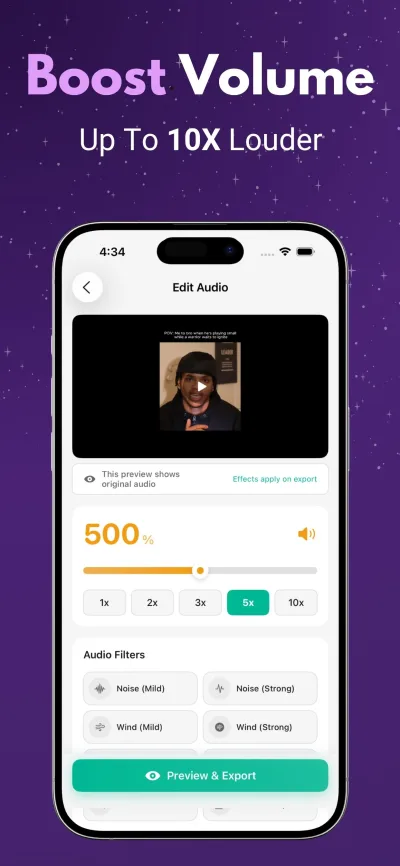
Boost Volume Up to 1000%
Amplify quiet videos with precise control. Choose from 1x to 10x presets or use the fine-tune slider for the exact level you need.
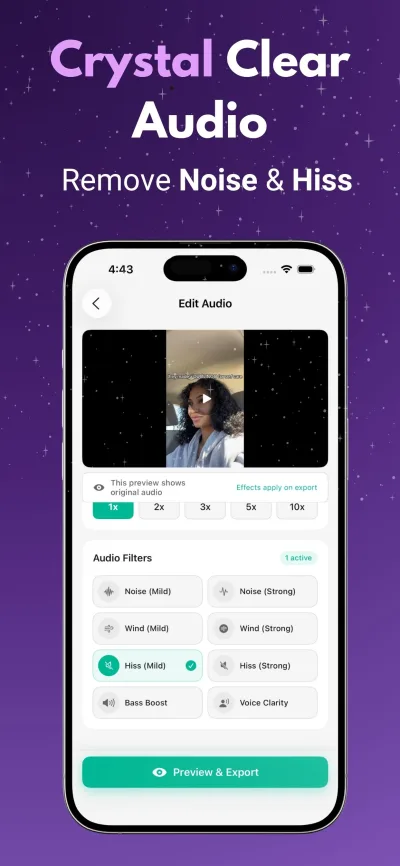
Professional Audio Filters
Remove background noise, wind, and hiss. Enhance bass, boost voice clarity, or apply custom EQ — studio-quality results on your phone.
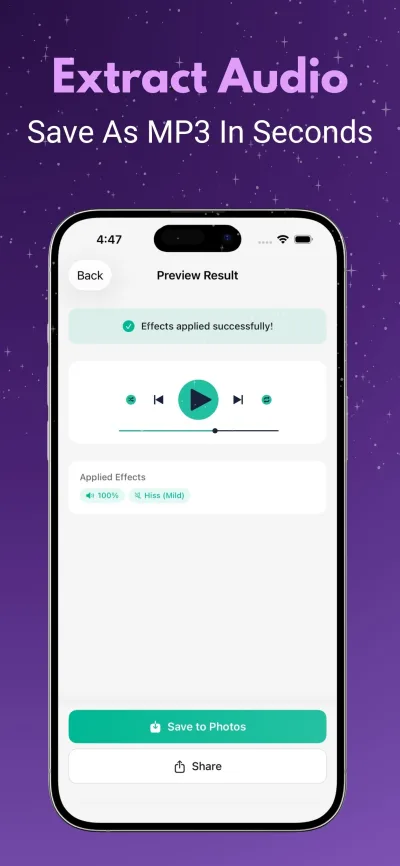
Extract Audio as MP3
Pull the audio track from any video and save it as an MP3 file. Perfect for saving music, podcasts, or voice recordings.
Lightning Fast Processing
Boost and export your video in seconds, not minutes. Optimized for iPhone to deliver results fast without draining battery.
Crystal Clear Output
Smart amplification that boosts volume without introducing distortion or clipping. Your videos sound louder AND cleaner.
100% Private
All processing happens on your device. Your videos are never uploaded to any server. No account needed, no tracking, no ads.
Boost Your Video in 3 Simple Steps
Pick Your Video
Open Loudify and select any video from your camera roll, files, or screen recordings.
Boost & Enhance
Drag the slider to amplify volume. Apply audio filters to remove noise or boost bass. Preview before saving.
Export & Share
Save the boosted video to your camera roll or share directly to YouTube, TikTok, Instagram, or any app.
What Users Are Saying
“Best app for making music louder instantly. The noise removal filter is amazing too.”
— App Store Review
“My screen recordings were always too quiet. Loudify fixed it in seconds — literally a lifesaver.”
— App Store Review
“I use this for every TikTok I post. Boosts the volume perfectly without any distortion.”
— App Store Review
Frequently Asked Questions
How much can Loudify boost video volume?+
Loudify can amplify your video's audio up to 1000% (10x the original volume). You can choose from quick presets like 2x, 3x, 5x, or 10x, or use the precision slider to set the exact volume level you want.
Will boosting the volume cause distortion?+
Loudify uses smart amplification technology that minimizes distortion even at high volume levels. For the cleanest results, we recommend boosting gradually and using the Preview feature to check audio quality before exporting.
How much does Loudify cost?+
Loudify is available on the App Store with a free trial. Premium features include volume boosting, audio filters, and audio extraction. Check the App Store for current pricing.
Does Loudify upload my videos to a server?+
No. All processing happens entirely on your iPhone. Your videos never leave your device. We don't collect any data, and you don't even need to create an account.
What video formats does Loudify support?+
Loudify works with all common video formats including MP4, MOV, M4V, and any video saved in your camera roll or Files app. You can also import screen recordings and downloaded videos.
Can I remove background noise from my video?+
Yes. Loudify includes professional audio filters for noise reduction, wind removal, hiss removal, bass boost, and voice clarity enhancement. You can apply multiple filters and preview the result before saving.
Ready to Make Your Videos Louder?
Join thousands of creators using the best video volume booster app. Private, fast, and takes just seconds.
Download Loudify